Free, no account
Email deliverability test
Send one email to a test address and see, a few seconds later, whether SPF, DKIM and DMARC pass, whether your server is on a blocklist, how a spam filter scores the message, and the exact fix for every problem.
- SPF, DKIM, DMARC and ARC
- Blocklists and reverse DNS
- Spam score, rule by rule
- Gmail and Yahoo requirements
1. Send one email to this address
2. Wait here for the report
The report opens here by itself, a few seconds after your email arrives.
Send it the way your real mail goes out: from your app, your provider or your mail client. One message per address, up to 1 MB. Nothing is stored except the report, which is deleted after 7 days.
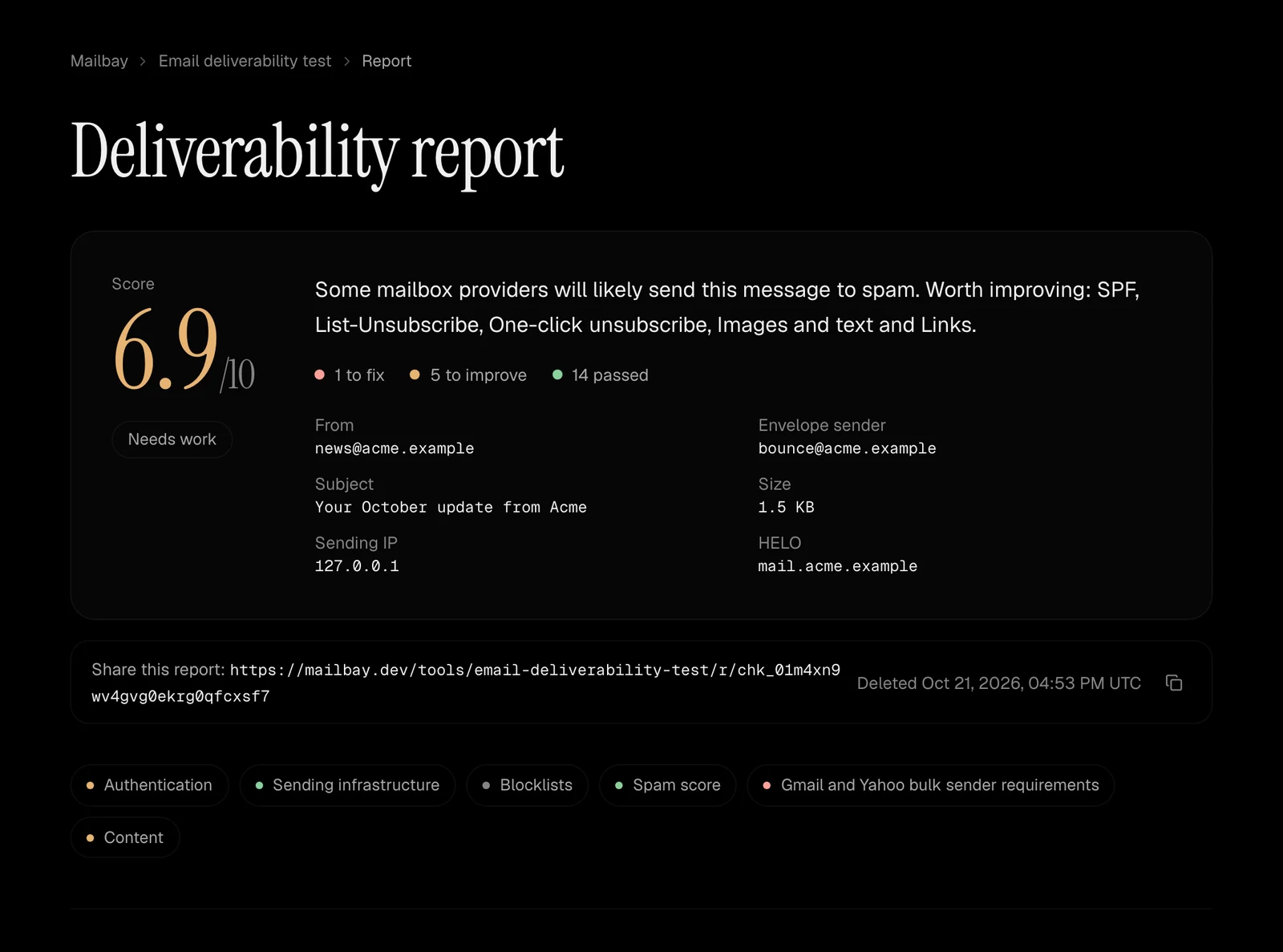
What a report looks like.
A score out of 10, a short summary of what to fix first, and every check below it with its explanation and fix. Each report has its own link to share with whoever runs your DNS.
What the test checks.
The same checks Gmail, Outlook and Yahoo run when your mail arrives, on the message you actually send. Each one gets a pass, a warning or a fail, a plain English explanation and the fix.
Authentication
SPF with the record we found and how many of its 10 DNS lookups it uses, every DKIM signature with its
d=, selector and key size, DMARC with the policy and whether SPF or DKIM align with your From domain, and ARC when a forwarder added it.Sending infrastructure
Whether the sending IP has reverse DNS that points back to it, whether the server introduced itself with a real host name, and whether it used TLS.
Blocklists
The sending IP and your domains against public DNS blocklists, through our own resolver. A listing comes with the cause to look for and the removal page.
Spam score
The score from rspamd, an open source spam filter, with every rule that fired explained in plain English, so you know which line of the message to change.
Gmail and Yahoo rules
The bulk sender requirements: SPF and DKIM, a DMARC record, an aligned From domain, and List-Unsubscribe with one click unsubscribe, signed by DKIM.
Content
Required headers, a plain text part, the balance of images and text, link domains, shorteners, size against Gmail's clipping limit, and broken HTML.
How to test email deliverability.
Two minutes, from the place your mail really comes from.
- 1
Copy your test address
Open the test. It gives you a one time address such as test-k7m3qz2x9abc@check.mailbay.dev that works for an hour.
- 2
Send one real email to it
Send the email the way your real mail goes out: from your app, your email provider or your mail client. Use a real message, not a blank one.
- 3
Read the report
Keep the page open. The report appears a few seconds after the email arrives, with a score out of 10 and a pass, warning or fail for every check.
- 4
Fix and test again
Each problem comes with the exact fix, such as the DNS record to publish. Apply it, get a new address and send again until every check passes.
When a check fails.
Most failures are DNS records. SPF lists the servers allowed to send for your domain, DKIM publishes the key that signs your mail, and DMARC tells receivers what to do when neither lines up with your From address. SPF, DKIM and DMARC explained walks through all three with real records.
Sending from your own domain with Mailbay? The domains guide lists the exact MX, SPF, DKIM and DMARC records to publish and checks them for you. Then send a message here to see the result from a receiver's side.